Files.co PDF Suite for your desktop.
26 PDF tools as a native app, with its own viewer, tabs and annotations. Every operation runs on your computer — no uploads, no accounts, no internet required.
- ●26 tools
- ●100% local
- ●0 uploads
Available for Mac and Windows, on version 1.5.1. Follow updates on the blog → · See the release history →
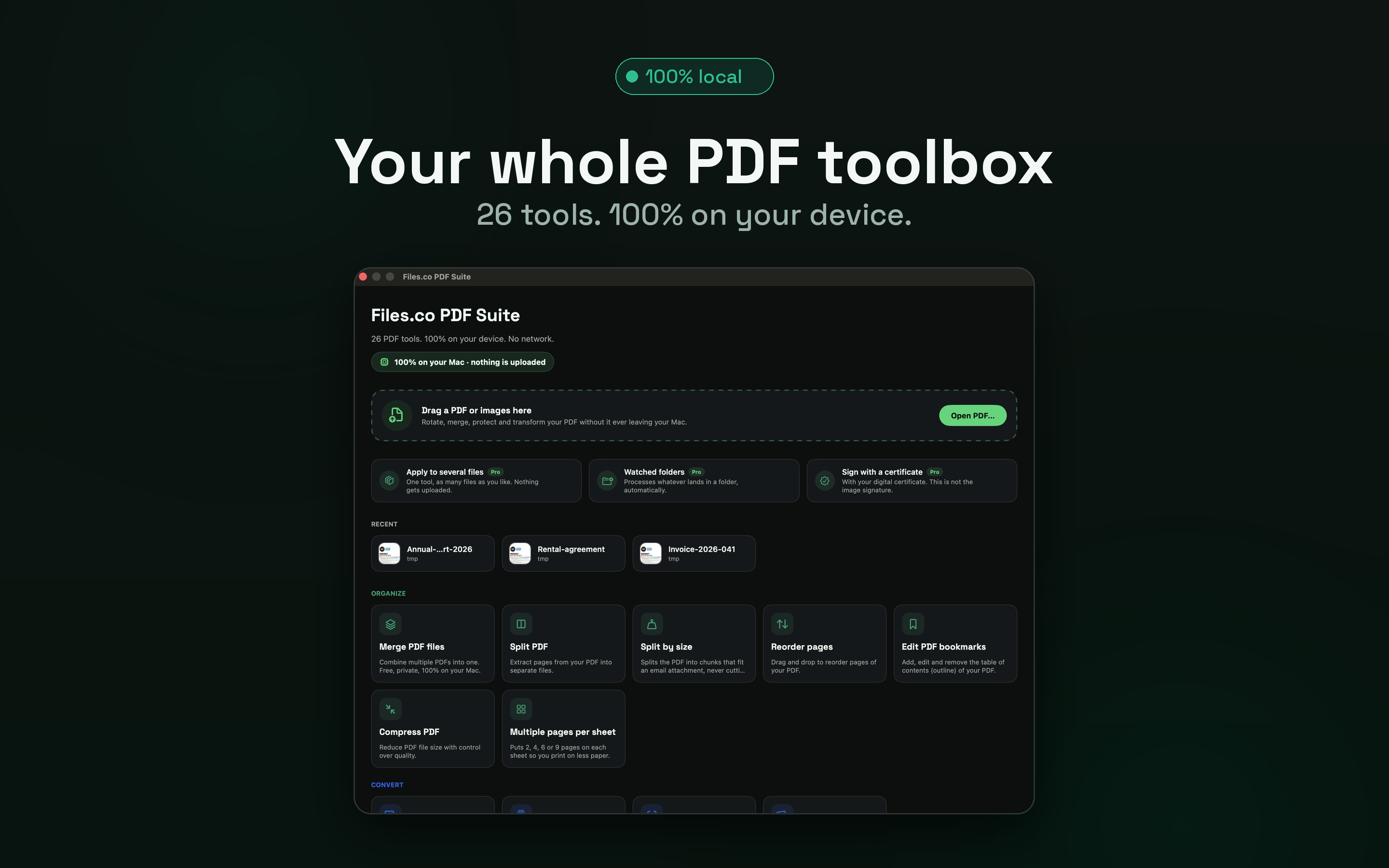
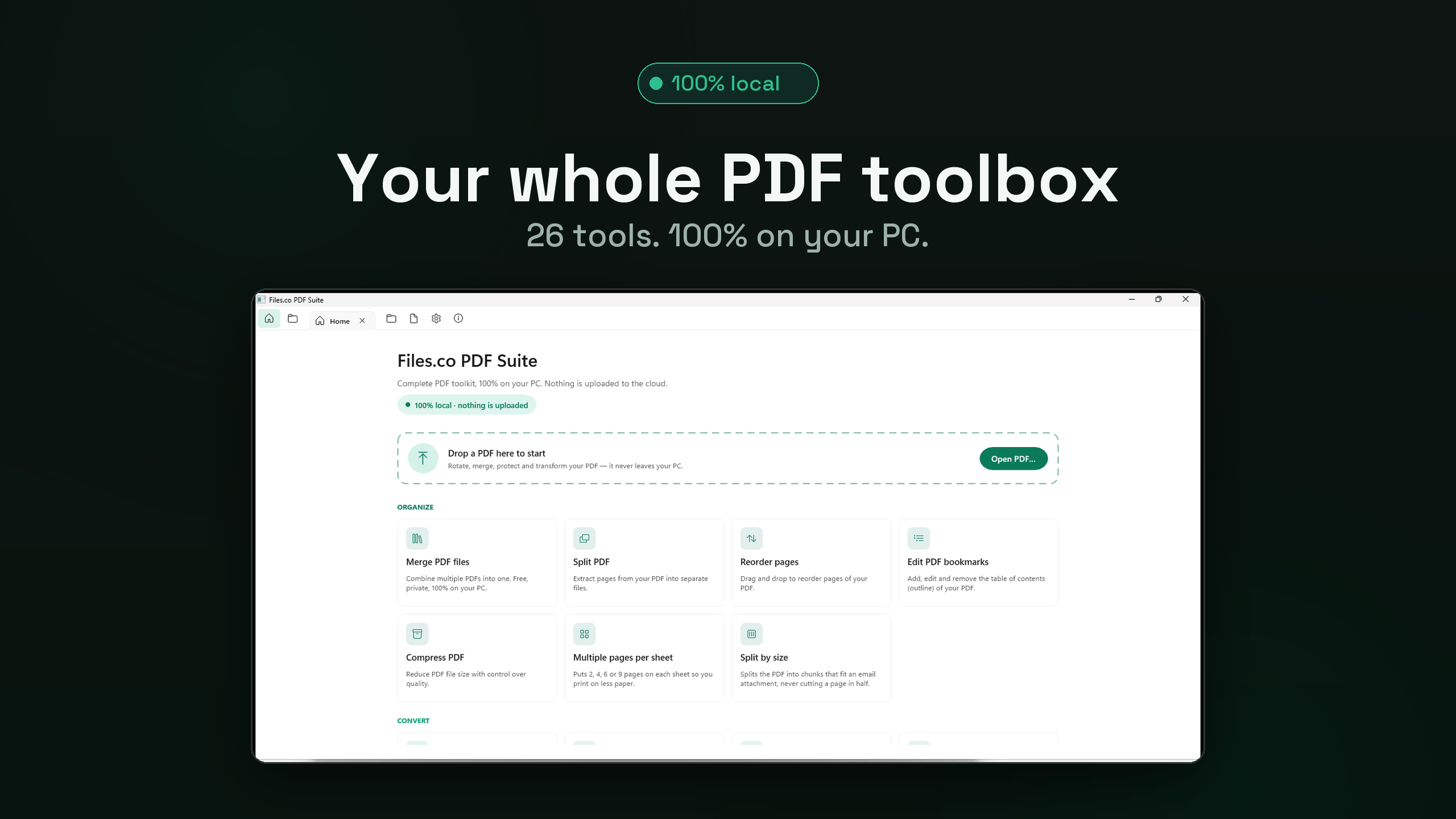
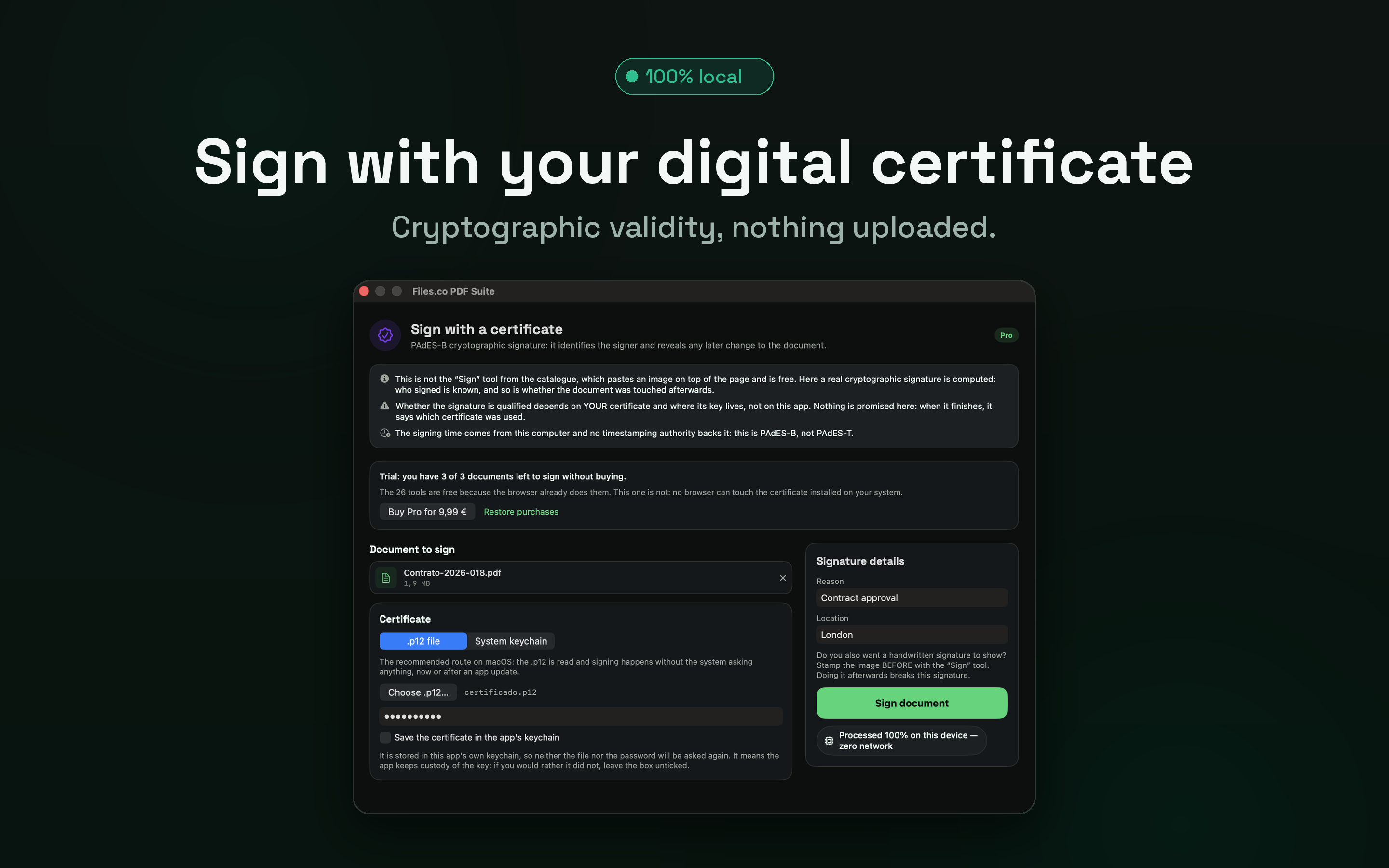
Home screen — all 26 tools one click away.
Why a desktop app?
A full PDF viewer plus the tools — all native and on-device.
Tabbed viewer
Open several PDFs at once in tabs, just like a browser, and switch between them instantly.
Annotate & highlight
Highlight, draw and comment right on the page — annotations are saved inside the PDF.
Big files, no limits
Browsers run out of memory on huge PDFs. The native app uses your real RAM and disk.
System integration
Open PDFs from Finder, drag them onto the Dock icon, and set files.co as your default app.
Works fully offline
Not even the first launch needs internet. Perfect for flights, air-gapped offices, or sensitive data.
Same privacy promise
Zero telemetry on your files. Nothing is uploaded anywhere — cut its network access and it still works.
Which tools are included
All twenty-six are included and free forever. They work offline and without an account — the last ten arrived with version 1.5.0.
- Merge
- Split
- Compress
- Rotate
- Reorder
- Crop
- Images → PDF
- PDF → Images
- Extract text
- Page numbers
- Header & footer
- Watermark
- Bookmarks
- Protect
- Unlock
- Metadata
- Remove active content
- Remove annotations
- Resize pages
- Pages per sheet
- Overlay
- Flatten
- Split by size
- Attachments
- Visual signature
- Convert images
In 14 languages
The app's interface is translated into fourteen languages, switchable instantly from Settings:
- Español
- English
- Français
- Deutsch
- Italiano
- Português
- Nederlands
- Polski
- Türkçe
- Русский
- 日本語
- 한국어
- 中文
- العربية
Free and Pro
The 26 tools are free forever and work offline. Pro adds what saves time once you are handling a lot of files, plus signing with your own certificate, and it is paid once.
| Feature | Free | Pro |
|---|---|---|
| 26 tools (merge, split, compress, flatten, attachments…) | ||
| Viewer with tabs and annotations | ||
| 100% on your device, offline | ||
| 14 interface languages | ||
| Batch processing (11 tools) | Up to 3 files | Unlimited |
| Saved presets (tool + settings under a name) | — | |
| Chained presets (up to 8 steps in a row) | — | |
| Signing with your system certificate (PAdES-B) | — | |
| Watched folders (anything dropped in is processed) | — | |
| macOS Shortcuts actions | — |
The download is the same on either plan: install the app for free, and Pro unlocks inside it — nothing to download again.
Pro pricing
Launch offer · until 30 September 2026One payment. No subscription.
Pay once and it is yours: nothing expires, nothing renews, and there is no monthly fee to remember to cancel. Whatever lands in Pro later arrives without paying again.
Spain and the eurozone
9,99 €*29,99 €
After that: 29,99 €
United States
$8.99*$24.99
After that: $24.99
* Prices may vary by country and by each country's taxes. Everywhere else, the equivalent price in your store (175 territories). The App Store shows the exact amount before you confirm.
Pro is bought inside the app, on both Windows and macOS, from version 1.2.0 onwards.
Buy during the promotion and you keep that price forever, including after it goes up.
So why is the website free?
Because they are two products. The website stays free, with all 32 tools. The app is native: it works offline, opens huge files, has a tabbed viewer and hooks into the system — and its 26 tools are free too. Nothing the website gives away is charged for here: Pro unlocks working at volume and what a browser simply cannot do, such as signing with the certificate installed on your machine.
What is coming to Pro
What we are working on. Buy now and you get it without paying again, because Pro is a one-time purchase.
Finder menu
Right-click a PDF → compress, merge or strip metadata, without opening the app.
Timestamping (PAdES-T)
Signing with your certificate landed in 1.5.0; the timestamp that proves when it was signed has not.
Edit existing text
Fix a figure or a date in the PDF itself, rather than laying a box over it.
OCR with no downloads
Text recognition with the languages inside the app, nothing to fetch on first use.
Scan from a scanner
Paper straight to PDF, without going through your phone.
No size limits
Documents of hundreds of pages, without the ceilings a browser imposes.
Your files never leave your computer.
It's not a setting to switch on — it's how it's built. No uploads, no cloud, no analytics on your documents.
- 100%
- on your device
- 0
- files uploaded
- 26
- tools
- 14
- languages
Frequently asked
When will it be available?
It's available now — on Windows via the Microsoft Store and on macOS via the Mac App Store. The published version is 1.5.1 on both stores. Grab it from the buttons above.
What does version 1.5.1 bring?
A maintenance release, with no new tools. The Mac app goes from 7 interface languages to the same 14 Windows already had — Polish, Turkish, Russian, Japanese, Korean, Chinese and Arabic, the last one with a right-to-left interface — and two settings that were saved and then ignored now work: the output folder and opening the result when finished. The full detail is in the release history.
What did version 1.5.0 bring?
Ten new tools, all free — remove active content, remove annotations, resize pages, pages per sheet, overlay, flatten, split by size, attachments, visual signature and image conversion — taking the app from 16 tools to 26. On the Pro side: signing with your system certificate (PAdES-B), chained presets, and batch across 11 tools. The full detail is in the release history.
What is the difference between Free and Pro?
The 26 tools, the viewer and annotations are free forever and fully local. Pro adds unlimited batches (free runs up to 3 files), saved and chained presets, watched folders, Shortcuts actions and signing with your system certificate. It is a one-time $8.99 until 30 September 2026, and $24.99 after that.
Can I sign with my own certificate?
Yes, from 1.5.0 with Pro: the app signs with the certificate already installed on your system (PAdES-B). On Windows it works with keys marked as non-exportable, which is how Spanish authorities install them; on macOS the certificate lives in a keychain owned by the app. The private key never leaves your machine. Whether the signature counts as qualified depends on your certificate, not on the app, and timestamping is not there yet.
Does it need an account or internet?
No. The app runs fully offline with no sign-up. Your PDFs are processed on your computer.
What languages is it in?
The interface is in 14 languages: Spanish, English, French, German, Italian, Portuguese, Dutch, Polish, Turkish, Russian, Japanese, Korean, Chinese and Arabic. Switch instantly from Settings, and in Arabic the interface lays out right to left. On Mac it has been fourteen since version 1.5.1; on Windows it already was.
Is it the same as the files.co website?
The website offers all 32 tools in the browser. The desktop app ships 26, all free, and adds what a browser cannot: a tabbed viewer, annotations saved inside the PDF, huge files without running out of memory, signing with your certificate, and Finder integration.
Don't want to wait?
All 32 tools already work for free in your browser — nothing to install.